
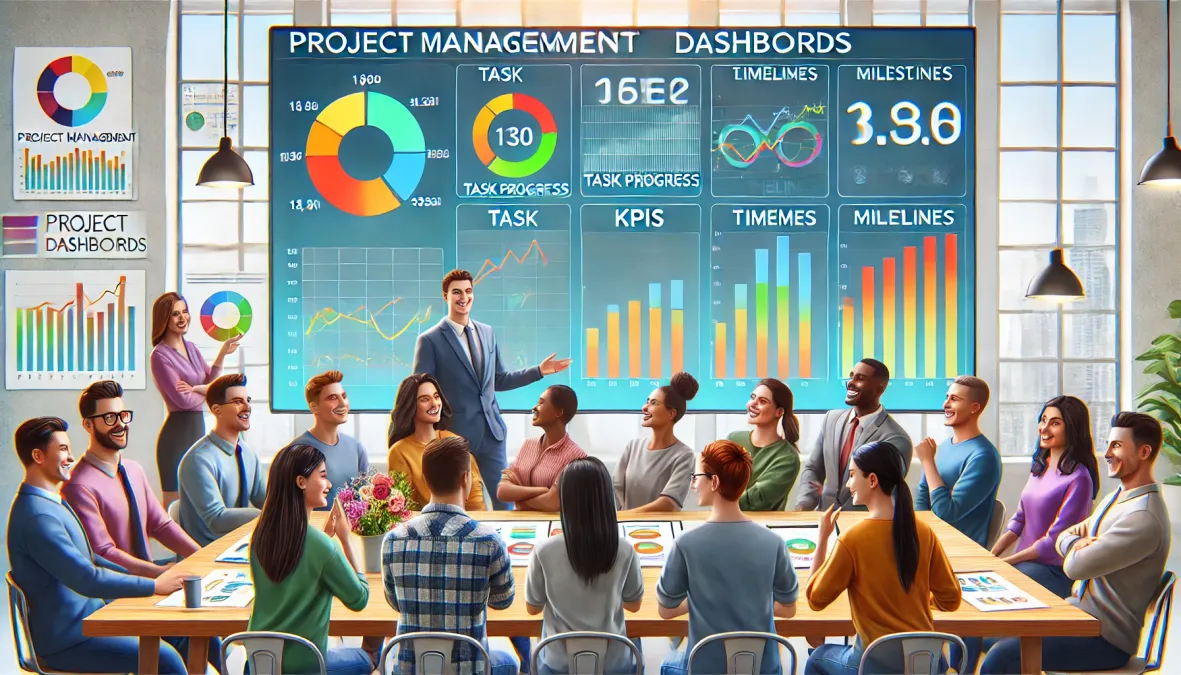
You are a project manager or team lead, and you are looking for a good way to track the progress of your tasks, your resources, and your budgets?
Then, here is the solution from AirProcess :
The project tracking dashboard is the essential tool to steer each phase, visualize deviations and ensure deadlines are met.
So, whether you use a simple Excel template or a more advanced software, this dashboard gives you a clear view of the project’s key indicators (KPIs):
- progress rate,
- task status,
- budget consumed,
- and much more.
Now imagine being able to anticipate risks, communicate in real time with your team, and adjust priorities in the blink of an eye.
In this article, you will discover how to create and use a high-performance dashboard that lets you manage your projects like a pro, avoiding delays and meeting your strategic objectives.
So, ready to take it to the next level?
Read on!
1) Why use a project tracking dashboard?
A dashboard is an essential tool to ensure a project runs smoothly.
Why?
Because it centralizes all information, which makes steering and real-time decision-making easier.
Thanks to a clear visualization of:
- tasks,
- deadlines
- and the resources deployed, it helps maintain control over every stage of the project.
In addition, it offers an overview that helps anticipate risks and quickly correct deviations from the initial objectives.
1.1) Properly steering your project
The dashboard provides a comprehensive view of task progress, which allows you to adjust scheduling in response to unforeseen events.
Indeed, with real-time tracking available, it becomes easier to react quickly to delays or budget overruns.
Also, this system improves resource and deadline management, which ensures that each task advances according to the established plan.
The project manager can thus prioritize the actions needed to stay on course.
1.2) Managing risks and unforeseen events
The dashboard becomes a major asset when it comes to managing risks and unexpected events.
Thanks to an instant visualization of the gaps between forecasts and on-the-ground reality, the project manager can anticipate obstacles before they become critical.
This tracking makes it possible to identify warning signs in time, whether these are budget overruns, delays in task execution, or resource shortages.
As a result, it becomes possible to:
- make informed decisions to reorient the project,
- adjust priorities
- or redistribute resources, while minimizing negative impacts.
This ability to react quickly makes all the difference in the success of the project.
2) How to create a project dashboard?
2.1) Suggested steps to create a project tracking dashboard
- Define the objectives of the dashboard
- Select the key performance indicators (KPIs)
- Choose the appropriate management tool
- Structure the data by categories (time, budget, quality, resources)
- Automate reporting and updates
- Test and adjust the dashboard according to stakeholder needs
Creating a project dashboard template requires a clear methodology and a careful selection of tools and indicators.
Moreover, since every project is unique, you must adapt the dashboard design to your needs to ensure smooth and accurate steering.
So, where should you start to obtain a functional and efficient tool?
2.2) Choosing the right management tools
The first step is to select the management tool that will best fit your project.
Thus, the choice of tool should take into account the management mode, team size, and needs in terms of visualization and collaboration.
2.3) Defining key performance indicators (KPIs)
Once the tool is selected, you need to define the KPIs that will measure the project’s progress.
These key indicators should reflect the critical aspects of your project. Among the most common KPIs are:
- schedule adherence,
- cost control
- and the quality of deliverables.
These measures provide a solid basis for tracking progress and identifying areas for improvement.
Each project manager must therefore choose KPIs directly linked to the project’s strategic objectives.
2.4) Structuring your dashboard
The structure of the project dashboard should remain clear and intuitive.
Group your indicators (management dashboard, portfolio dashboard…) by categories (time, budget, quality) to facilitate reading and analysis.
A well-structured tracking dashboard allows the project manager to make decisions quickly without wasting time searching for necessary information.
Thus, if you make the tool accessible and understandable to all team members, you ensure smoother collaborative management and better responsiveness to unforeseen events.
3) Which indicators to use for project tracking?
Tracking indicators, also called KPIs (Key Performance Indicators), form the basis of a project dashboard.
They should provide a clear and precise view of the project’s progress.
Their selection is based on the project objectives while taking into account the different dimensions to monitor, such as time, budget, or the quality of deliverables.
Thus, you understand that without suitable indicators, managing a project becomes complex and risky.
3.1) Time indicators
Time indicators are a fundamental element of project tracking.
By monitoring deadlines and delivery dates, you can verify whether the project respects the initial schedule.
These indicators include:
- lead time,
- time spent on each task,
- and the time remaining before the completion of the different stages.
So when these indicators reveal a delay, it is easier to anticipate adjustments or redefine priorities.
3.2) Budget indicators
Financial indicators are used to compare actual expenses with those planned in the initial budget.
If you regularly monitor these indicators, you can control costs and avoid overruns.
Budget tracking also includes the gaps between forecasts and current expenditures.
These data allow the project manager to allocate resources optimally and ensure the project remains within budget limits.
3.3) Quality indicators
Quality indicators assess whether deliverables meet expectations and the established standards.
They ensure that the products or services provided meet the performance criteria defined at the start of the project.
These indicators can include:
- stakeholder satisfaction measures,
- quality audits
- or team feedback and lessons learned.
They play a key role in the success of the project, because a non-compliant deliverable can lead to delays or additional costs.
3.4) Examples of performance indicators (KPIs) for each type
Indicator type | Sample indicator | Description |
Time | Adherence to deadlines | Measures the gap between planned and actual dates for project milestones. |
Task duration | Tracking the time spent on each project task. | |
Percentage of task completion | Indicates the percentage of tasks completed compared to those planned. | |
Budget | Actual expenses vs. allocated budget | Compares current expenses to the initially planned budget. |
Cost per task | Calculation of the cost per task or project phase. | |
Total forecasted cost | Projection of costs at the end of the project based on current expenditures. | |
Quality | Deliverable conformity rate | Measures whether deliverables meet the defined quality criteria. |
Stakeholder satisfaction rate | Evaluates client or partner satisfaction with the project’s deliverables. | |
Number of non-conformity feedbacks | Indicates the number of deliverables rejected or requiring corrections. |
4) How to optimize project tracking?
Project tracking is not limited to creating a dashboard.
No, it is an evolving process that requires regular adjustments to stay aligned with project needs and its unforeseen events.
To ensure optimal tracking, several practices can make management smoother and more responsive.
Thus, continuous optimization becomes a real lever to successfully carry a project through to completion without issues.
4.1) Automate updates
Automation represents a valuable time saver for the project manager.
Thanks to modern tools, it is possible to synchronize and automatically update the data in the dashboard.
This reduces the risk of human errors and makes reliable information available at all times.
Therefore, if you integrate a tool like AirProcess into your project, you can:
- automate certain tasks such as updating deadlines,
- tracking budgets
- or the progress of tasks,
As a result, this integration allows you to focus more on strategic analysis and performance improvement.
4.2) Analyze data in real time
Real-time analysis is an asset for project steering.
With an interactive dashboard, you can immediately observe the deviations from your objectives.
Indicators, updated continuously, allow you to react quickly to unforeseen challenges or priority changes.
Consequently, decision-making is done in an informed way, based on reliable and current data.
This helps reduce delays and keep the project on track.
4.3) Involve stakeholders
Optimizing tracking also involves collaborative management.
Every team member, as well as the stakeholders, should have direct access to the dashboard.
Why?
In fact, doing so guarantees a better understanding of the data, which facilitates communication among the different project actors.
Moreover, by actively involving all concerned people, you strengthen commitment to the project objectives and encourage collective responsibility for the success of the project.
A collaborative management tool like AirProcess can thus strengthen this team dynamic.
5) What tools for project management?
Modern project management relies on tools (management software) suited to the specific needs of each project and each team.
Thus:
- whether you run an agile project,
- whether you need to manage a large team,
- or whether you face complex projects, there is a range of tools to simplify and optimize the process.
Here is an overview of the main types of tools available to help you choose the one that best fits your needs.
5.1) List of tracking indicators to include in an Agile dashboard
- Team velocity (number of story points completed per sprint)
- Burndown chart (remaining tasks to complete in the sprint)
- Product backlog (prioritization of upcoming tasks)
- Completion rate of user stories
- Estimate vs actual task completion
5.2) Collaborative management tools
Collaborative tools have become essential for managing projects in an agile mode.
For example, AirProcess enables a visual management of tasks with great flexibility.
This tool promotes collaboration among team members by centralizing information and facilitating real-time task tracking.
Thanks to its intuitive interface and features like Kanban boards, it allows you to:
- easily visualize the project progress,
- prioritize tasks
- and manage dependencies.
5.3) Resource management tools
When managing large teams or multiple projects simultaneously, a good tool is necessary.
Indeed, a good tool offers advanced features for resource allocation, allowing workloads to be distributed evenly.
These software solutions include functions such as schedule management, timesheets, and Gantt charts to visualize the whole project.
6) How AirProcess fits into project tracking dashboards
6.1) Optimizing project tracking with AirProcess
AirProcess, with its no-code features, fits perfectly in this context by allowing users to create custom dashboards in minutes.
First, AirProcess’s intuitive interface makes it easy to create views tailored to the needs of each project, whether to:
- manage tasks,
- deliverables
- or track deadlines.
6.2) Customization and flexibility of views
Thanks to many customization options, AirProcess allows configuring dashboards according to users’ specific requirements.
Indeed, it is possible to choose relevant columns, apply complex or simple filters, and group data by different criteria.
As a result, each project manager can obtain a clear and organized view of task progress, which improves project visibility.
Moreover, the ability to sort data across multiple levels enhances the capacity to analyze priorities and adjust actions in real time.
6.3) Simplified collaboration and centralized task management
Furthermore, the AirProcess platform promotes optimal collaboration among teams thanks to its collaborative work features.
Each team member can access the information that concerns them, participate in decision-making, and contribute to task progress in real time.
Thanks to this centralized approach, all project actors remain aligned on the objectives to achieve, which streamlines communication and enables more structured management of resources and tasks.
6.4) Tracking performance indicators and risk management
As part of project tracking, AirProcess dashboards also offer the ability to monitor key performance indicators (KPIs) in real time.
It thus becomes possible to instantly visualize deviations from forecasts, manage risks and make strategic decisions quickly.
Moreover, using progress bars and other visual tools helps track the project progress in an intuitive and accessible way.
6.5) A flexible and scalable tool
AirProcess stands out for its flexibility, allowing workflows to be created and adapted without technical skills.
This ability to evolve with the needs of projects and teams is a major asset for companies looking to optimize their processes.
In addition, the solution offers a wide range of customizable fields (text, number, date, etc.) that perfectly match the diverse needs of project managers.
Thus, the tool can adapt to both simple projects and more complex projects requiring fine management of dependencies, schedules and resources.
6.6) Integration with other tools
Finally, AirProcess offers integration possibilities with other project management tools or data tracking systems, making it an ideal solution for companies wishing to connect multiple systems.
Whether it is to import Excel or CSV files, or to manage projects directly in a SaaS environment, AirProcess ensures a smooth and frictionless transition.
7) How to track a project’s progress?
To successfully complete a project under the best conditions, you must rigorously track its progress.
This tracking will allow you to keep objectives in view and intervene quickly in case of deviation.
7.1) Tracking milestones
Milestones represent key steps that mark the project’s life cycle and tasks.
They allow the project to be divided into clear and measurable segments.
By validating these milestones, the project manager ensures that important steps are achieved on time and that deliverables meet expectations.
Thus, each milestone achieved provides a tangible view of progress and allows objectives to be reassessed at each stage.
Keep in mind that client satisfaction, whether internal or external, remains your priority.
7.2) Managing dependencies
In many projects, tasks are interdependent.
Managing dependencies ensures that each task is executed in the correct order, which prevents blockages and unexpected delays.
So, by ensuring that all dependencies are respected, you guarantee smooth project continuity.
A dashboard that includes these dependencies will help you visualize sequences and anticipate potential delays, making necessary adjustments easier.
7.3) Managing deviations
You know, deviations between forecasts and reality are common in any project.
Whether in terms of budget, deadlines, or resources, it is important to detect these deviations as early as possible to adjust schedules or reallocate resources.
By regularly analyzing tracking indicators, you can react quickly and reorient the project to prevent it from straying too far from initial objectives.
Good management of deviations thus helps keep the project on track and ensures its success without major setbacks.
8) What are the benefits of a dashboard?
A dashboard brings a multitude of benefits for the overall vision of a project by centralizing information and offering a clear, precise overview.
Its adoption becomes obvious when you aim to steer a project in a structured and agile way.
Let’s see why this tool becomes indispensable for any project manager.
8.1) Better visibility on project progress
As you read above, a dashboard gathers all important data in one place, offering complete visibility on the state of project progress.
This centralization makes it possible to monitor the evolution of tasks, deadlines and resources at a glance.
You can thus easily check whether the project is progressing according to plan and react quickly in case of deviation.
Thanks to this overview, project tracking becomes smoother and more accessible.
8.2) Easier decision-making
Having precise and up-to-date data in real time simplifies decision-making.
The dashboard provides key indicators (KPIs) that allow you to quickly analyze the situation and take necessary measures.
Whether to:
- adjust the schedule,
- reallocate resources or change priorities,
- the information on the dashboard makes decisions faster and better informed.
This avoids guesswork and strengthens responsiveness.
8.3) Enhanced collaboration
Modern dashboards facilitate close collaboration among team members and stakeholders.
Because they are often collaborative, each participant can consult project progress in real time and actively contribute.
This information sharing allows all project actors to remain aligned on objectives while optimizing communication.
Thus, coordination improves, exchanges become smoother, and collective management gains in efficiency.
Proceeding in this way ensures transparency and a return on investment when working on a project.
9) Dashboard personalized according to stakeholders
In many projects, stakeholders have different needs and expectations.
A single, generic dashboard does not always meet these needs.
That is why you should create dashboards adapted to each actor.
This not only improves communication but also provides targeted visibility on the most relevant indicators for each role.
For example, a project manager will focus on milestones and upcoming tasks, while a finance manager will closely track costs and margins.
And that’s exactly what AirProcess offers you!
Customizing dashboards proves particularly useful in environments where project management involves multiple stakeholders with varied objectives.
Thus, by adjusting tracking indicators according to each party’s priorities, it becomes possible to optimize overall project monitoring and facilitate decision-making.
Each dashboard can focus on indicators such as:
- satisfaction rate,
- budget tracking,
- or risk management, depending on the role and responsibilities of the person concerned.
9.1) Personalize dashboards for each stakeholder: maximize impact and relevance
Customizing dashboards offers a dual advantage.
On one hand, each stakeholder has direct access to the information that is truly useful to them.
On the other hand, this approach strengthens team engagement, as everyone feels involved and better informed about the project aspects that concern them directly.
In other words, a well-customized dashboard becomes a strategic tool to align everyone’s objectives and foster more effective collaboration.
For example, the project team can focus on short-term tasks and potential bottlenecks, while management is more interested in project performance indicators.
Therefore, customization improves the relevance of shared data, enabling faster and more informed decision-making while reducing information noise for each stakeholder.
10) Integrating Agile methodology into project dashboards
10.1) Integrate Agile methodology into your dashboard for more dynamic project tracking
An Agile dashboard is distinguished by its ability to reflect constant project adjustments in real time.
Tracking indicators become levers for action rather than static data.
For example, a burndown chart can show at a glance the evolution of remaining work against available time, allowing efforts to be adjusted before a sprint is compromised.
In addition, user stories and the backlog can be organized and tracked smoothly, reinforcing visibility on priorities and improving team communication.
Thus, integrating Agile methodology into your dashboards provides flexibility and smoother management, in line with the evolving needs of each project.
This helps ensure better performance while maintaining an overview of deliverables and upcoming iterations.
11) Conclusion
In summary, a project tracking dashboard is much more than a simple reporting tool.
Thanks to advanced features like artificial intelligence to anticipate risks, or customizing indicators according to stakeholders, it becomes a strategic lever to steer every aspect of a project with precision.
Moreover, integrating Agile methodology into dashboards allows dynamic and adaptable tracking, aligned with the changing needs of project teams.
Using these tools, whether visualizations like burndown charts or custom indicators, ensures proactive project management.
They help project managers and their teams achieve their objectives while staying aligned with priorities and available resources.
If you want to deepen your knowledge of project management or discover other solutions to improve your process, we invite you to explore our other articles.
Together, let’s optimize the success of your projects with AirProcess!