
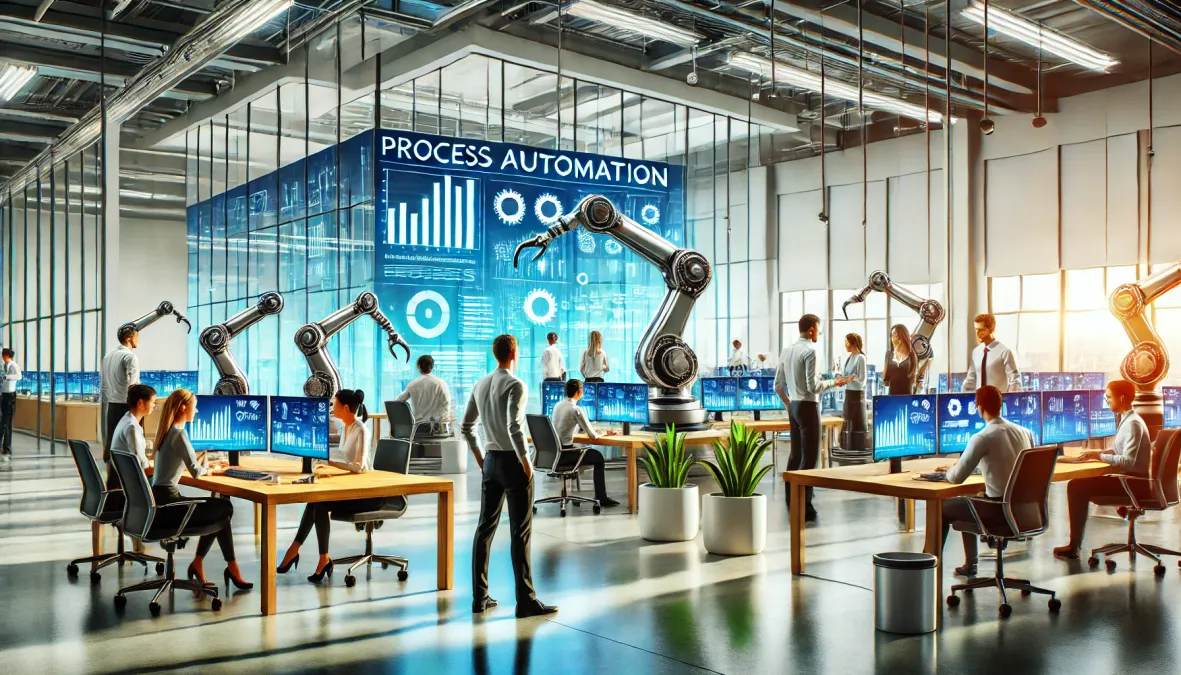
You have probably already heard about process automation, the technology that promises to revolutionize how your company manages its daily tasks.
But how can you get the most out of these solutions to optimize your teams' work, reduce human errors, and improve productivity without weighing down your organization?
AirProcess offers the solution!
This article guides you through the steps to automate your information flows, whether it's invoice management, handling customer requests, or project tracking.
We will discuss the benefits these tools provide, the time savings they enable, and concrete examples of companies that have already implemented BPA, RPA, or BPM solutions to streamline their business processes.
After reading this, you will be able to create and automate your workflows, improve communication within your teams, and reduce operational costs.
Still unsure? Let us show you why automation is the key to successful digital transformation.
1) What is process automation?
Process automation has become an essential lever in digital transformation.
But what exactly is it?
This often vague concept deserves a clear explanation.
a) Definition of process automation
Process automation refers to the use of technologies that enable repetitive and manual tasks to be carried out without direct human intervention.
This notably translates into workflow automation, which structures and sequences tasks smoothly, but also into robotic automation, where specific software performs actions in place of human operators.
Moreover, integrating intelligent algorithms into these automation systems enables real-time data analysis and adjustment of processes to maximize productivity.
b) Types of automation
Process automation comes in several types depending on the technologies used and the desired level of sophistication.
1) Manual automation
First, manual automation relies on simple tools to automate specific steps of a process.
These tools act only on certain precise tasks, such as sending automatic emails or managing forms, and still require human intervention to configure or adjust them.
2) Intelligent automation
Next, intelligent automation leverages advanced technologies like artificial intelligence (AI) and machine learning.
These systems can make real-time decisions, adapting to complex scenarios without human intervention, which continuously optimizes workflows and anticipates potential issues.
3) Robotic automation
Finally, robotic process automation (RPA) uses software robots or programmable bots to execute often complex tasks by interacting directly with different IT systems.
These robots allow entire processes to be automated, such as invoice processing or data validation, improving the smoothness and reliability of operations.
4) Steps to automate a process
- Identify manual processes to automate
- Analyze needs and objectives
- Choose automation tools (RPA, BPA, BPM)
- Design automated workflows
- Test and optimize automated processes
- Set up monitoring indicators (KPIs)
- Train teams and support change management
2) How to start process automation?
Automating a process may seem complex.
However, good planning and following the right steps will allow you to quickly optimize your operations.
a) Mapping existing processes
Mapping existing processes is a necessary step before starting any automation.
It consists of analyzing in detail the company's current workflows to identify tasks:
- repetitive,
- time-consuming,
- and low value-added.
First, this approach allows you to visualize each step of the process, understand bottlenecks, and identify manual tasks that can be automated.
Additionally, having a clear overview makes it easier to prioritize interventions and define which process steps require optimization.
Mapping therefore serves as the foundation for successful automation.
b) Defining automation objectives
Defining automation objectives is one of the steps to ensure project success.
First, it's necessary to determine which results you want to achieve.
These objectives can include:
- improving productivity,
- reducing human errors,
- or optimizing the time spent on repetitive tasks.
Moreover, by defining these objectives, you can better align with the capabilities of the chosen technologies.
It is also important to set key performance indicators (KPIs) to monitor the impact of automation.
These KPIs make it possible to evaluate progress, whether in terms of reduced error rates, time saved, or improved customer satisfaction.
In short, defining objectives and KPIs from the start allows you to measure automation success precisely.
c) KPIs to track the performance of automated processes
- Execution time of automated tasks
- Error reduction rate
- Productivity gain per process
- User satisfaction rate
- Number of manual processes automated
- Operational costs before/after automation
d) Choosing the right tools and technologies
Once your automation objectives are well defined, the next step is to choose the most suitable tools and technologies.
Depending on your goals, several examples of automated processes and solutions can be considered.
1) Workflow management systems
Workflow management systems make it easier to automate workstreams by structuring the different steps of a process.
Tools like AirProcess allow you to track and automate specific tasks, which increases team productivity.
2) Robotic automation solutions
Robotic Process Automation (RPA) solutions prove very effective for automating repetitive and complex tasks, often manual, by interacting directly with the applications used by the company.
These software robots can process large volumes of data without errors.
Thus, choosing the right solutions depends on the specifics of your processes and the results you expect.
d) Table of benefits before/after automation
Process | Before automation | After automation |
Invoice management | Manual entry, frequent errors | Automated payments, reduced errors |
Inventory management | Manual inventory, frequent stockouts | Automated replenishment, demand forecasting |
Customer service | Slow response times, manual claims handling | Automated responses, improved customer satisfaction |
3) What are the advantages of automation?
Automation is not limited to cost reduction.
No — it offers a multitude of strategic advantages for the company.
a) Benefits of process automation
- Time savings on repetitive tasks
- Reduction of human errors
- Improved productivity
- Better compliance and traceability
- Reduced operational costs
- Faster workflows
- Optimization of human resources
- Enhanced customer satisfaction
- Ability to monitor and analyze in real time
- Facilitated digital transformation
b) Productivity gains and resource optimization
Automation brings considerable time and productivity gains by reducing the time and effort spent on repetitive and manual tasks.
As a result, return on investment is simpler and faster.
By automating these processes, employees can free up time to focus on higher value-added tasks, such as:
- strategic analysis,
- customer management,
- or innovation.
This reorganization of human resources allows the company to better allocate skills and efforts while improving its performance.
Resources are therefore redirected to areas where they bring the most value, while ensuring smooth and continuous operation of automated business processes.
c) Improved accuracy and reduced human errors
Process automation directly helps improve the accuracy of operations by eliminating a large portion of human errors.
Software and automated systems are programmed to perform tasks with consistent and precise accuracy, which is particularly beneficial in sensitive sectors like finance, where even a small mistake can lead to significant losses.
Moreover, in areas like inventory management, automated processes offer real-time tracking, reducing the risk of stockouts or surpluses.
Consequently, operational reliability is greatly improved while performance is optimized.
d) Flexibility and adaptability of processes
With automated processes, the company gains flexibility.
Automated workflows can be easily adjusted, allowing rapid adaptation to market changes or new internal requests.
Unlike manual processes, which are often rigid and slow to change, automation systems offer quick revision of steps without disrupting operational continuity.
Thus, the company becomes more agile, able to react to changes in the economic environment and improve strategic steering in real time.
4) What examples of automation exist?
Automation can be applied in many sectors and for different tasks.
Here are some examples of automated processes to illustrate its wide range of applications.
Table of use cases by sector
Industry | Automatable process | Expected benefits |
Healthcare | Medical record management, billing | Error reduction, time savings |
Manufacturing | Production monitoring, inventory management | Cost optimization, reduced downtime |
Education | Enrollment management, course scheduling | Productivity gains, administrative simplification |
Transport | Fleet tracking, route optimization | Cost reduction, improved logistics management |
a) HR process automation
In human resources, automation provides valuable assistance in managing administrative tasks.
For example, payroll and leave management can be fully automated using specific software, reducing errors and ensuring greater accuracy in payroll and absence processing.
Additionally, automation also plays a role in tracking applications and onboarding new employees, which facilitates recruitment and integration.
Automated systems can sort resumes, schedule interviews, and manage the onboarding process for new hires smoothly.
This allows HR teams to focus on higher value-added tasks such as staff development and talent management.
b) Marketing automation
In marketing, automation plays a fundamental role in personalizing and optimizing campaigns.
One of the most common examples is the automatic sending of marketing emails based on user behavior.
Indeed, thanks to automation platforms, it is possible to trigger emails according to actions taken by prospects or customers, such as:
- abandoned shopping cart,
- newsletter sign-up,
- or a specific visit on a website.
This allows you to engage users in a targeted and personalized way, which can increase conversion rates.
Furthermore, automation facilitates lead tracking and automatic segmentation.
Marketing automation tools can automatically classify leads based on defined criteria (such as behavior, demographics, or interactions with the brand).
This simplifies prioritizing prospects for sales teams and improves the relevance of marketing actions.
Thus, the company optimizes its performance by ensuring the right offers reach the right people at the right time.
c) Production automation
In the industrial sector, this example of automated processes transforms how companies manage production and inventory.
One example is the integration of the Internet of Things (IoT) to monitor and automate production processes.
Thanks to connected sensors, it is possible to:
- monitor machine performance in real time,
- detect anomalies before they cause failures,
- and optimize production lines based on collected data.
IoT also enables automatic adjustments on production lines according to needs and real-time conditions, offering flexibility and responsiveness.
Additionally, the use of software robots facilitates inventory tracking and stock management.
These robots can:
- automatically update stock levels based on sales and deliveries,
- place replenishment orders when necessary,
- and forecast material needs.
This type of automation ensures smooth inventory management, minimizes the risk of stockouts, and optimizes storage costs.
d) Examples of automated processes
- Data entry
- Invoice processing
- Customer service requests (after-sales)
- Inventory tracking and stocktaking
- Automation of HR processes (recruitment, payroll)
- Project planning and management
- Management of marketing emails
- Document approval workflows
- Contract management and renewals
- Business data analysis (reporting)
5) How to improve the customer experience with automation?
Automation can transform the user experience and make it smoother and more personalized!
a) Automating customer service
One of the most effective ways to improve the experience is to implement chatbots and virtual assistants.
These programs can answer customers' frequent questions instantly, at any hour and without human intervention.
Depending on requests, chatbots can provide standardized answers or direct users to the appropriate services.
This type of automation reduces waiting times, delivers immediate responses, and improves customer satisfaction.
Additionally, automated tracking of requests and complaints is another asset of customer service automation.
When a customer submits a complaint or request, an automated system can:
- track it,
- inform the customer of progress in real time,
- and send notifications when action is required.
This prevents requests from being forgotten or mishandled while ensuring continuous and transparent communication between the customer and the company.
This automated tracking not only improves service efficiency but also increases customers' trust in the company's responsiveness.
b) Personalizing interactions
Automation enables going far beyond generic interactions by offering precise and relevant personalization of communications.
By analyzing customer behavior and preferences, automated systems can send personalized offers that specifically meet each customer's individual needs.
For example, based on previous purchases, pages visited, or products viewed, tailored recommendations or special promotions can be sent automatically, increasing conversion chances.
Moreover, this individualized approach improves customer satisfaction.
Customers feel recognized and better understood, which builds trust with your brand.
As a result, customers are more likely to engage with content that appears relevant to their expectations and habits.
This way of working establishes a personalized dialogue while freeing marketing teams from repetitive and manual tasks.
6) What tools to use for automation?
a) ERPs and CRMs
ERP (Enterprise Resource Planning) and CRM (Customer Relationship Management) systems are solutions to automate various processes, both in managing internal activities and in customer interactions.
On one hand, ERPs offer a comprehensive solution to manage operations related to:
- inventory management,
- finance,
- human resources,
- and production.
These systems centralize the company's data, facilitating smooth automation of business processes, better coordination between departments, and more informed decision-making through an operational overview.
On the other hand, CRMs enable automating and optimizing customer relationship management.
They provide features to:
- track leads,
- segment customers,
- and send automated personalized communications.
In short, using ERPs and CRMs facilitates centralization and automation of processes, providing productivity gains and better information management.
b) RPAs and workflow tools
Robotic Process Automation (RPA) solutions and workflow software like Process management tools such as AirProcess are two major pillars for automating repetitive tasks and workflows.
RPA is particularly effective for automating manual and repetitive tasks that typically require human intervention.
These software robots mimic user actions and interact with applications and information systems to perform tasks like:
- data entry,
- transaction processing,
- or report generation.
At the same time, workflow (BPM) tools allow structuring, planning, and automating workstreams in a simple but effective way.
These platforms manage collaborative projects by:
- automating notifications,
- task assignments,
- and reminders to streamline processes and improve team productivity.
They provide an overview of tasks to be completed and enable better coordination among team members, reducing oversights and optimizing operational efficiency.
7) Integrating AirProcess into process automation
a) AirProcess: a no-code solution to automate your processes
AirProcess stands out for its ability to offer a no-code solution that allows any organization to create customized workflows in minutes.
This approach perfectly meets the needs of companies that want to automate their processes without investing in complex or costly developments.
1) Immediate flexibility and customization
One of AirProcess's major strengths is its flexibility.
Indeed, the platform allows customization of every aspect of a workflow, whether it's:
- forms,
- the steps,
- or the decisions to be made.
In a few clicks, it becomes possible to create a tailor-made workflow adapted to the specifics of each company's business process.
Additionally, users can add or modify views, sort data, and customize columns according to their needs.
This approach ensures more agile management of automated processes while being easy to deploy.
b) Create workflows adapted to your business processes
For process automation, AirProcess offers an intuitive interface to design specific workflows without requiring technical skills.
Thanks to its varied features, the platform can manage both administrative processes and complex business processes.
1) Data collection and processing with custom forms
One of the key elements of automation is data collection.
AirProcess allows you to create custom forms to collect simple or complex information according to the needs of each process.
Whether for an HR workflow, project tracking, or managing internal requests, the 21 available field types (text, date, file attachments, etc.) provide great flexibility in form creation.
2) Real-time workflow monitoring and management
Once workflows are created, AirProcess offers real-time monitoring tools, allowing users to supervise each step of the automated process.
Indeed, custom views facilitate data organization, providing a clear view of project progress.
With features like multi-column sorting, data grouping, and advanced filters, workflow management becomes more fluid and transparent.
c) Process optimization thanks to AirProcess
Automation aims to optimize workflows by reducing manual steps and improving productivity.
AirProcess answers this need, notably by simplifying data management and reducing repetitive tasks.
1) Automate repetitive tasks to free up time
With AirProcess, companies can automate repetitive tasks such as managing internal requests, processing data, or approving steps.
As a result, employees are freed from tedious tasks and can focus on higher value-added missions.
For example, in a project management context, AirProcess can automatically track deadlines, budgets, and the status of deliverables, thus facilitating end-to-end project management.
2) Centralization and improved collaboration
Another strength of AirProcess is data centralization.
All information needed for a workflow is accessible from a single dashboard, enabling better collaboration among teams.
Each user sees only the information relevant to them, which improves communication and team productivity.
Furthermore, with tabbed views and the side navigation bar, the platform offers great flexibility in how data is visualized and organized.
d) Tailored support with AirProcess
AirProcess does not stop at workflow creation; it also supports companies in the continuous optimization of their automated processes.
1) Training and support for better adoption
Although the platform is easy to use, AirProcess provides demos and training to ensure good adoption of its solutions by teams.
This ensures that users master all the offered features, whether for:
- creating workflows,
- managing forms,
- or optimizing views.
2) Guaranteed return on investment
Thanks to AirProcess's ease of use and rapid implementation, companies can see a return on investment within the first months.
Cost reductions associated with automating manual tasks and freeing human resources for more strategic roles are factors that contribute to this quick return.
To learn more, click the button below to book your demonstration slot.
8) How does automation impact employees?
Automation raises questions about its impact on teams.
a) Reduction of repetitive tasks
One of the main effects is the reduction of repetitive and tedious tasks that are often time-consuming.
Thanks to automated systems, your employees are freed from these manual tasks, such as routine administrative data entry.
As a result, they can focus on missions with greater strategic and higher added value, such as:
- analysis,
- decision-making,
- or innovation.
Bonus: this can increase their engagement, since they take part in projects with a more direct impact on company results.
Freeing employees from these tasks also allows for better distribution of working time and improved team well-being.
b) Need for upskilling
However, process automation also brings a need to adapt skills.
Your employees must learn to work alongside more advanced technologies, such as artificial intelligence (AI) or automated systems.
This transition to more sophisticated software requires upskilling, both technically and strategically.
Indeed, teams need to understand and supervise automated systems, solve more complex problems, and manage human-machine interactions.
This evolution represents an opportunity to acquire new skills, making your employees more versatile and valuable to the company.
9) What are the challenges of automation?
While this solution offers many advantages, it also presents challenges you must consider.
The complexity of implementing automation requires overcoming several obstacles, both financial and human, to ensure a successful transition.
a) Table of main challenges of process automation
Challenges | Proposed solution |
Resistance to change | Involve teams in workflow design |
Process complexity | Break down into simple steps and test each step |
Lack of technical skills | Opt for no-code solutions or with support |
Lack of visibility on performance | Implement KPIs and dashboards |
b) Implementation cost
One of the first difficulties is the implementation cost, which is often high.
Implementing a business process management solution requires not only purchasing software and technologies but also additional costs related to technical infrastructure and system development.
Moreover, training staff so they master these new tools represents an investment in time and resources.
It may also be necessary to rely on external experts to integrate systems and ensure their proper functioning.
Although productivity gains are undeniable in the long term, these initial costs can be a barrier for some companies, particularly small businesses.
However, the solution offered by AirProcess remains very affordable and deserves your attention.
Click the button below to secure your demonstration.
c) Resistance to change
Automation can also generate resistance to change from employees.
Indeed, some may perceive this change as a threat to their jobs or as a radical transformation of their way of working.
This feeling of uncertainty can lead to reluctance and decreased motivation.
You must therefore support this transition by clearly communicating the benefits for teams and by providing the tools and training necessary to adapt to these new technologies.
A well-managed integration process, focused on upskilling and collaboration between humans and technology, helps limit resistance and ensure smoother adoption.
10) Automation and human collaboration: the winning duo
Process automation brings productivity by eliminating repetitive tasks, but human intervention remains decisive at certain stages.
Automation and human collaboration are not opposites. On the contrary, they complement each other and form a winning duo.
By combining machine intelligence and human skills, companies can maximize added value while maintaining control over critical processes.
However, you must clearly define where and how humans should intervene in an automated workflow.
a) Which processes should remain collaborative?
Some processes still require human intervention for complex, creative, or strategic decision-making.
Tasks requiring human judgment, such as customer relationship management or strategic decisions in project management, should remain collaborative.
Also, in sectors like finance or human resources, manual validations at critical steps are often essential to ensure compliance and data consistency.
b) How to integrate human check-points in an automated workflow?
To optimize automation while preserving the quality of human decisions, it is possible to integrate check-points within the workflow.
This involves programming moments in the process where automation pauses to obtain human validation or intervention before continuing.
These control points allow teams to keep an eye on critical tasks and intervene quickly in case of issues.
They thus ensure quality control at key stages while maintaining automation efficiency.
c) Common mistakes to avoid when automating
- Automating inefficient processes
- Not involving end users in the design
- Ignoring the testing and optimization phase
- Lack of training for employees
- Neglecting updates to automated workflows
- Absence of monitoring indicators to measure performance
11) Adaptive automation: a flexible response to the unexpected
Traditional automation follows fixed rules, but in a constantly evolving professional environment, flexibility is essential.
This is where adaptive automation comes in.
This type of automation allows workflows to adjust in real time based on data and unexpected events.
a) What is an adaptive workflow?
An adaptive workflow is an automated process capable of modifying its operation according to circumstances encountered in real time.
Unlike a classic workflow that follows a predefined sequence, the adaptive workflow relies on changing indicators and conditions to adapt its steps and priorities.
For example, if inventory reaches a critical level, the workflow can automatically readjust replenishment priorities.
This model is based on conditional logic and algorithms to make the process more fluid and resilient to contingencies.
b) How real-time data optimizes automation
One of the major assets of adaptive automation is the use of real-time data to optimize workflow execution.
By leveraging performance indicators (KPIs) and continuously updated information flows, automated systems can make instant decisions, adjust processes according to current circumstances, and anticipate future needs.
Consequently, this improves responsiveness and reduces intervention times, particularly in critical sectors such as production management, inventory, or preventive maintenance.
c) Practical cases of adaptive automation in project and inventory management
In project management, adaptive automation enables quick reactions to unforeseen events such as delivery delays, priority changes, or resource allocation.
For example, if a deliverable is delayed, the workflow can automatically reassign resources or adjust the schedule to minimize project impact.
In inventory management, adaptive automation optimizes the process by adjusting orders based on real-time demand variations.
If a product starts selling faster than expected, the system can react by adjusting replenishment levels before a stockout occurs.
Conversely, in case of a sudden drop in demand, orders can be suspended or resized to avoid unnecessary storage costs.
12) Conclusion
In conclusion, process automation offers a multitude of advantages, ranging from reducing repetitive tasks to improving the accuracy and flexibility of operations.
Thanks to technologies such as RPAs, ERPs, and workflow management systems, companies can optimize their workflows while freeing their teams for higher value-added missions.
However, implementing these solutions requires careful planning and support for employees to overcome resistance to change and ensure a successful transition.
If this article has sparked your interest in process automation, feel free to explore other pages of our site to discover how AirProcess can support you in implementing tailored automated workflows.
Book a demonstration now and discover the benefits automation can bring to your organization.