
The new AirProcess version 3600, which will be deployed to production at the end of March, includes many new features that make it possible to design even more varied applications!
Here is a summary of the main developments.
New views for your data
The KANBAN view makes its debut
For those who haven't heard of Kanban, it's a way of displaying your data as cards (or post-its) especially suited to managing simple projects.
In this view, your data is organized into multiple columns, and you can move the “cards” from one column to another to change their status.
Typically, for project management, you use classic columns with the statuses To do, In progress, Done, and optionally On hold, but you can organize it however you like!
Here's what our Kanban view looks like:
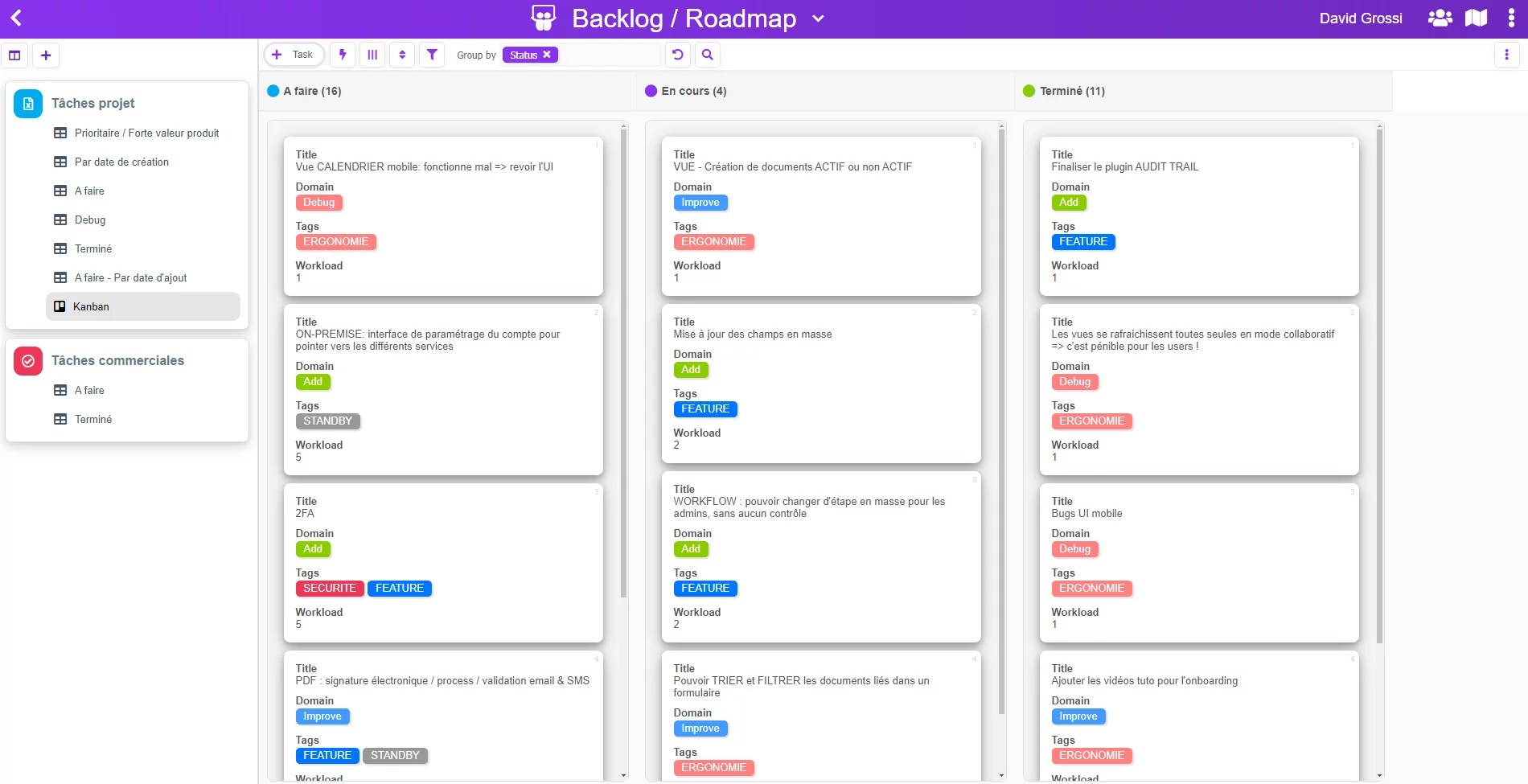
But that's not all, because AirProcess offers you an ultra-flexible Kanban view!
Indeed, you will still be able to:
- choose the fields displayed on each card, as well as their order
- sort your cards by one or more fields
- filter your data to show only certain cards
An interesting feature compared to other tools on the market is that you can also group by multiple columns, which has the effect of creating subcategories within each Kanban column.
For example, below the view was grouped by the two fields Status and Domain:
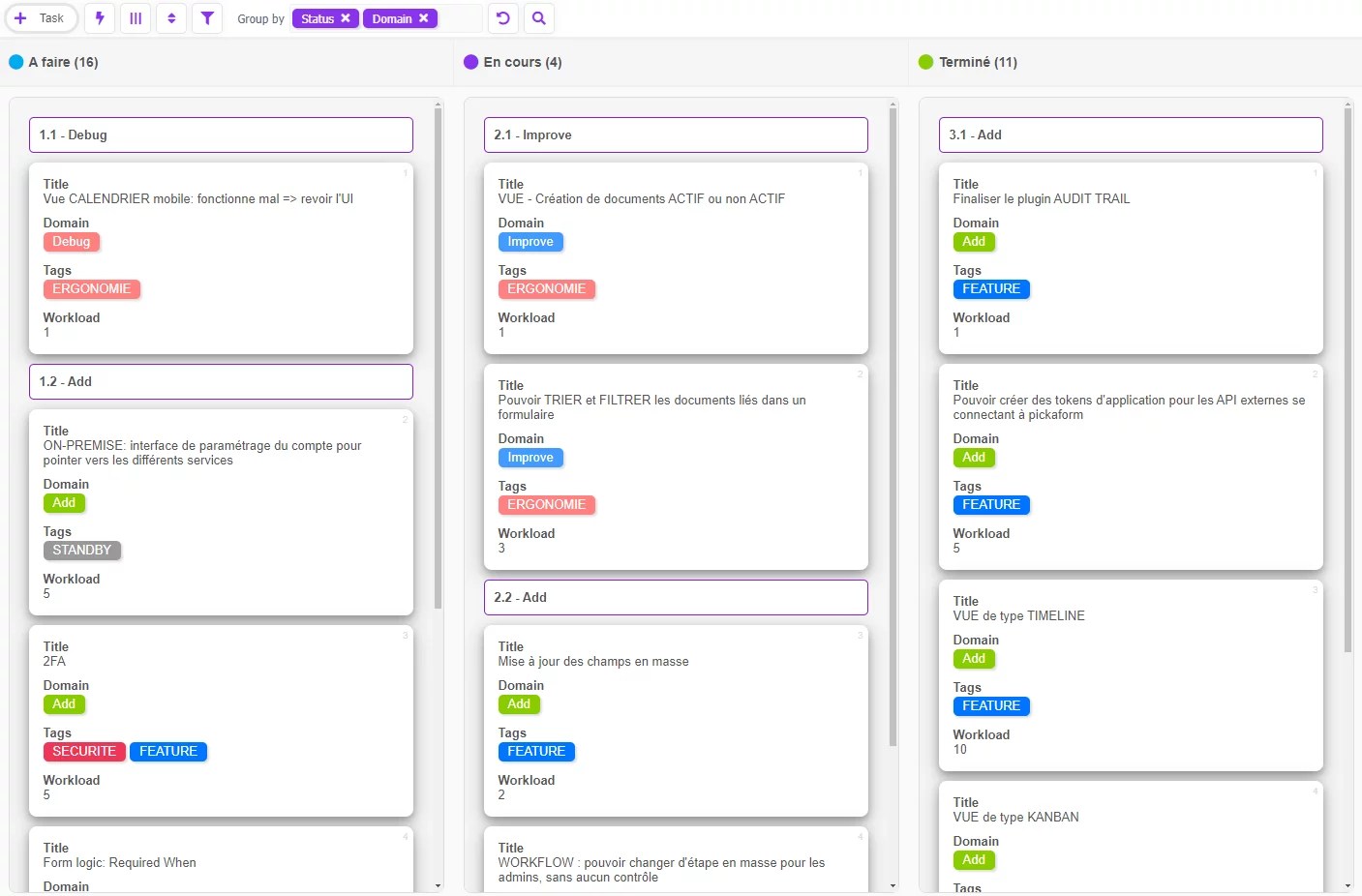
This makes it possible to refine the organization of the data a bit more.
Finally, note that, unlike most Kanban tools on the market, AirProcess can handle displaying thousands of cards without any performance degradation!
The Timeline view is also coming
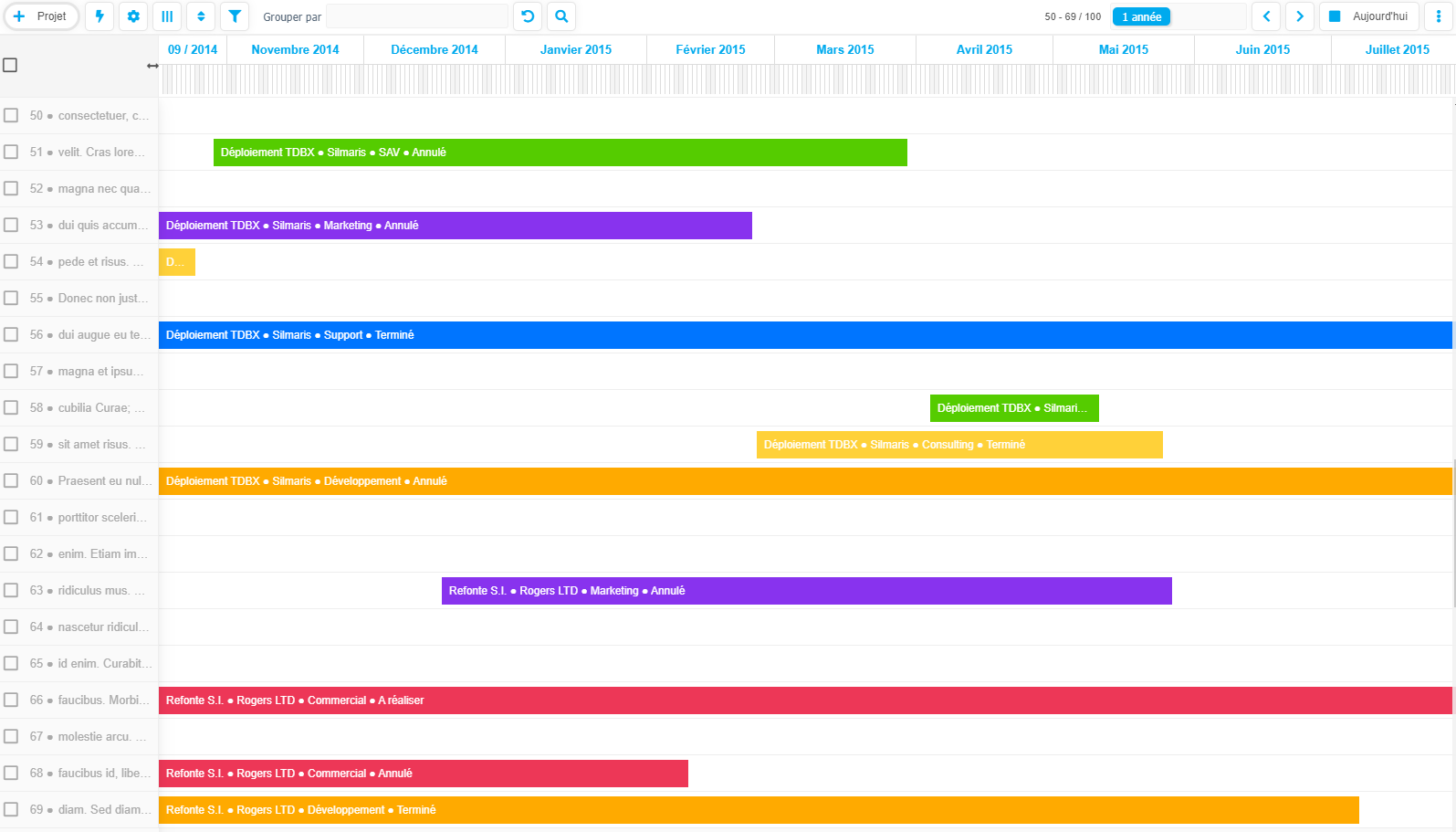
The Timeline view lets you visualize your data as time bars.
To benefit from this new view, your data will still need to have at least two date fields:
- a date to mark the start of the bar
- a date to mark the end of the bar
For example:
- a start and end date for a project
- a start and end date for a contract
- a start and end date for a training
- etc…
It's up to you to use the Timeline for your own data and specific context.
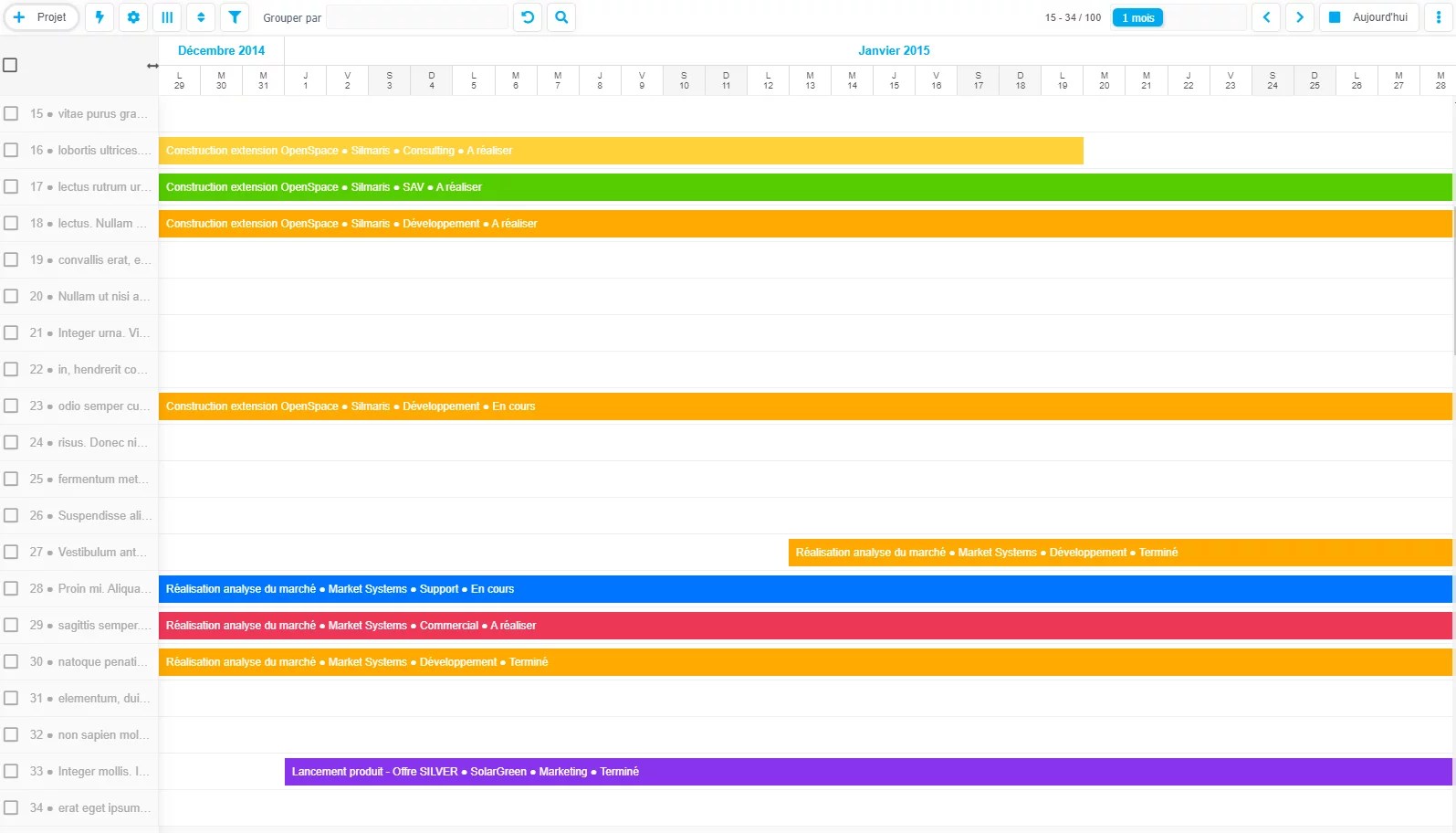
Here are some examples where the timeline displays 1 year, 1 month, and 1 week:
Display for 1 year
Display for 1 month
Display for 1 week
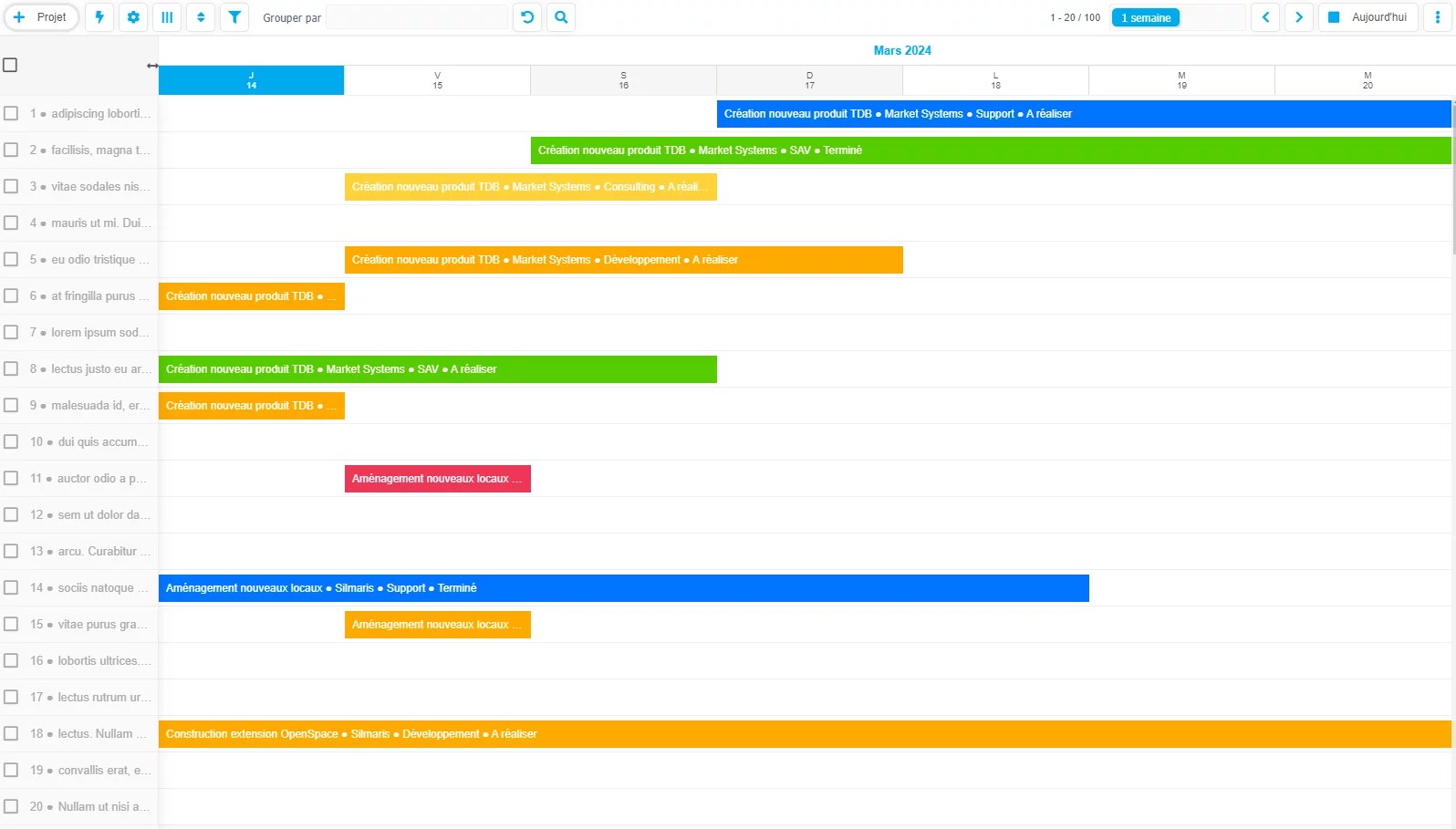
Several display types are available:
- 1 year
- 6 months
- 4 months
- 3 months
- 2 months
- 1 month
- 3 weeks
- 2 weeks
- 1 week
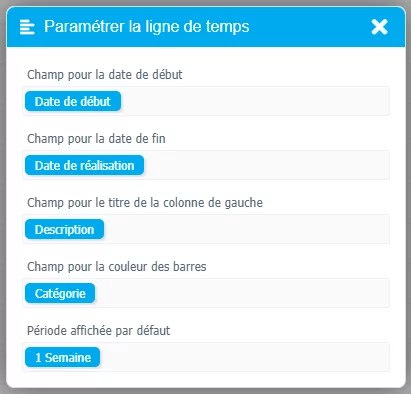
Another feature of our Timeline is that you can choose:
- the field used for the (static) left column
- the fields to display in each time “bar”
- the field used to define the color of the bar
- the period displayed by default
These settings will allow you to adjust the view to the specific needs of your applications.
In the end, with two new types of visualization for your data, AirProcess expands the use cases for your applications.
Artificial intelligence to query your documents
We are integrating a new flagship feature to be able to “chat” with the documents attached to your forms – for now, only PDF or DOCX files.
This will allow you to harness the analytical power of GPT-4, but on your own company documents.
This feature relies on two ancillary technologies for which you will need a separate subscription:
- OpenAI, to use GPT-4 on your documents
- Pinecone, to store your documents in a “vectorized” form understandable by artificial intelligence
Of course, we will set up these two elements for you, so there is no need for technical skills.
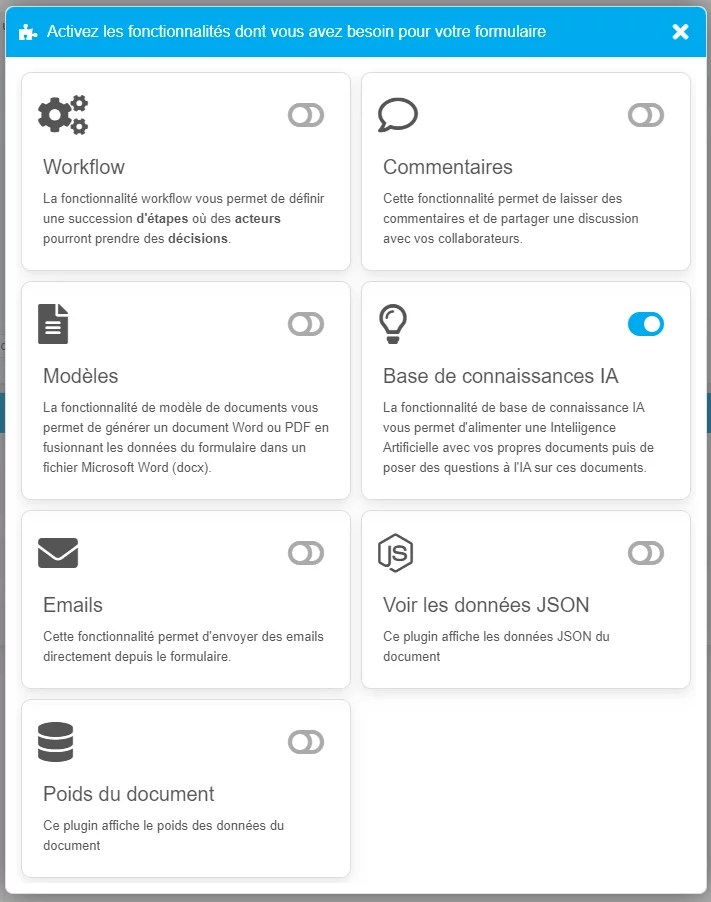
Once the API keys are entered into AirProcess, you can activate the feature like all other AirProcess features via the menu “Features of the form” :
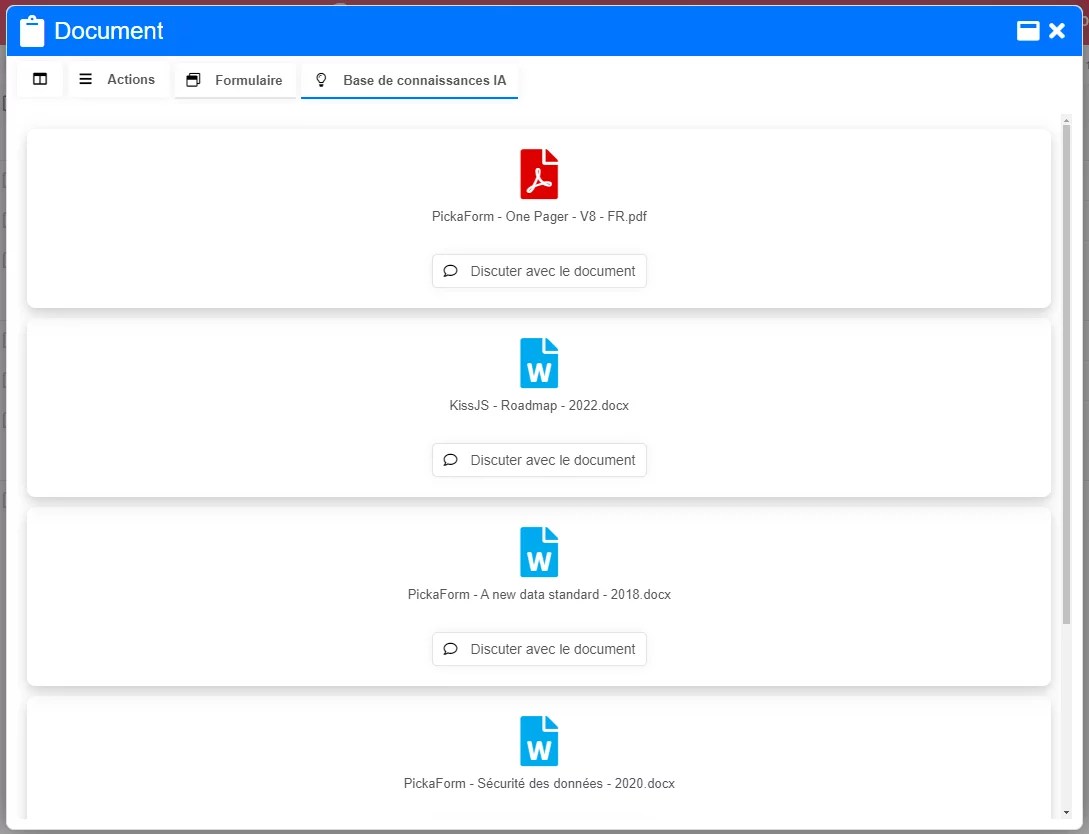
You will then see a new tab AI Knowledge Base that will synthesize all PDF or DOCX files attached to the form.
To query one of these documents, simply click Chat with the document to see an interface similar to ChatGPT, but inside your application and in the context of that document:
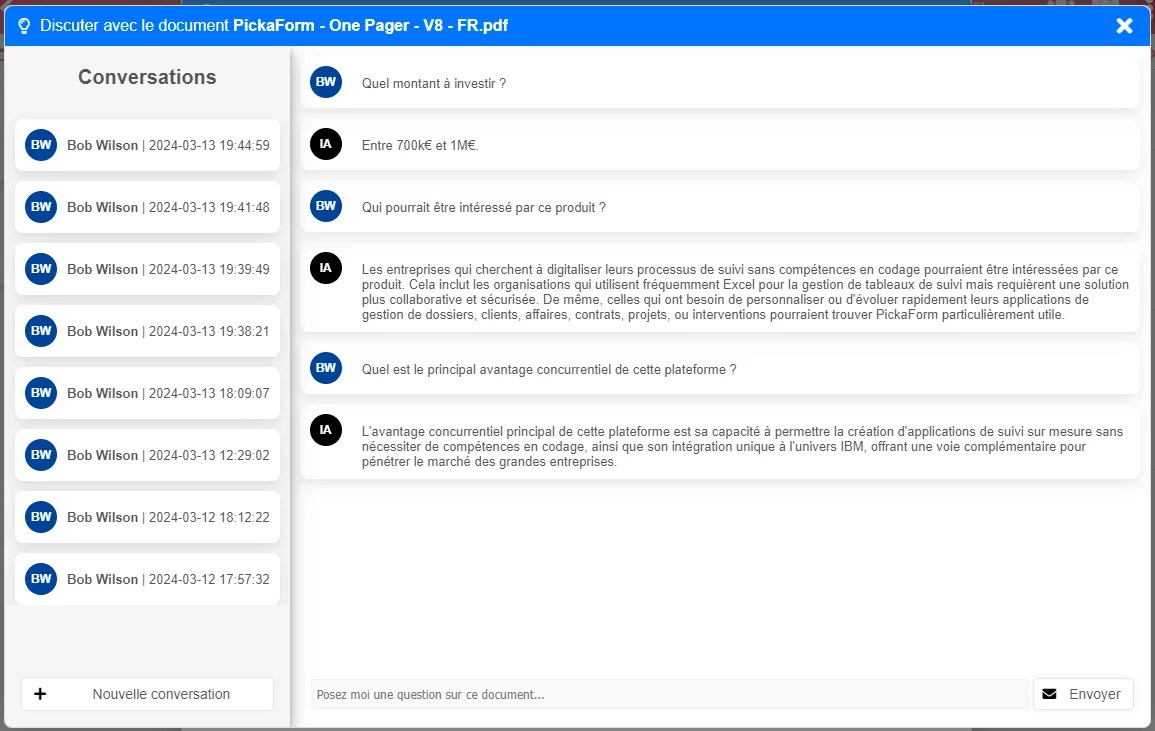
As you can see, all previous conversations are also logged and can be reloaded at any time.
This powerful new feature will allow you to create custom document repositories that are more attractive, and enable you to leverage artificial intelligence on your own data, with no development effort required!
Conclusion
With three new major features and many minor improvements, AirProcess continues to evolve rapidly, adapting to new technological opportunities such as artificial intelligence.
But above all, these features are integrated within a fully standard framework, namely:
- creating views for your data
- activating features for your forms
The product therefore remains as simple as it was at its origin, while expanding its use cases.